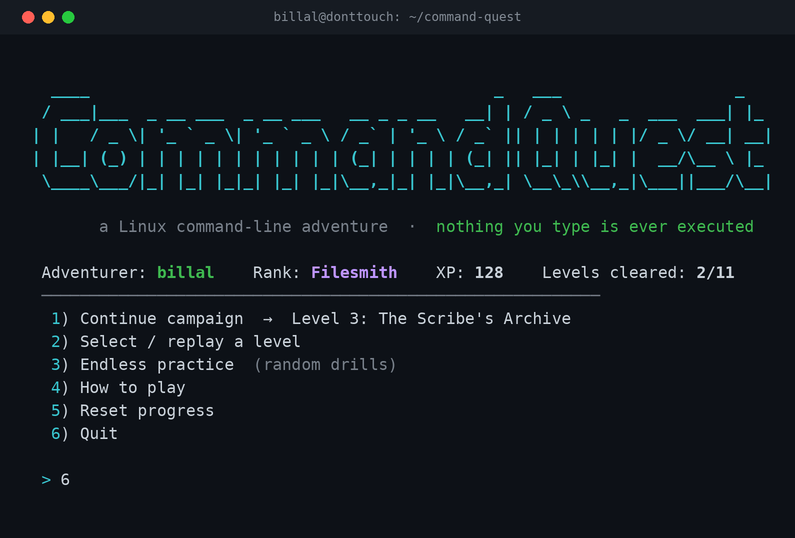
I’m not a programmer, and I’m not trying to be one. But the development of new AI models has let me learn concepts that were once too complicated for me to get on my own. As you know, I use Linux a lot — but I still wanted to properly upskill in the command line. So instead of just following a document and re-typing commands in another terminal window, I thought: why not get Claude to build me an interactive game — a Linux CLI practice terminal — that actually lets me learn and memorise the commands?
That’s the honest origin of this one. I had a beginner→intermediate Linux command cheat sheet I’d written for myself, and reading it wasn’t sticking. Recognising commands on a page is not the same as recalling them under a blinking cursor. I wanted drills, feedback, and enough of a game loop that I’d actually come back to it.
So I described that to Claude Code and it built Command Quest.
What it is
A single Python file — no dependencies, runs on any Debian box including my laptop — that turns every command from my cheat sheet into a scenario you have to solve by typing the right command.

The important part, and the thing that made me comfortable practising destructive commands: it never actually runs what you type. It’s a recall game. It reads your answer, checks it, and shows you simulated output. Practising rm -rf in here deletes exactly nothing.
How a level plays
You get a scenario in plain English; you type the command you’d use. First-try answers score the most XP, and if you get it, it shows you what the real output would look like, plus a one-line explanation so the why sticks too.
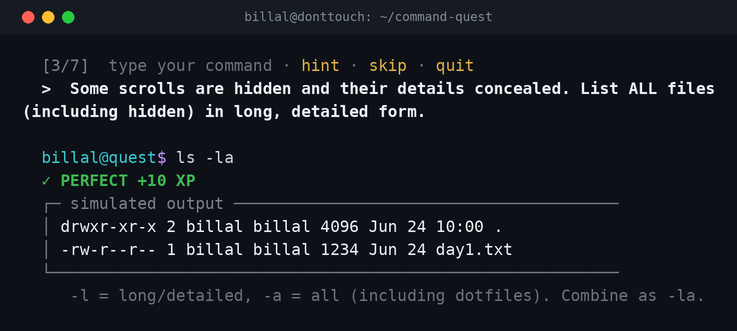
At any prompt I can type hint for a nudge (and the first word), skip to reveal the answer, or quit to save and leave. One thing I appreciated: it isn’t fussy about flag order — ls -la and ls -al both pass — but it is case-sensitive on the command name, like the real shell. So it accepts how I’d really type things, without letting a wrong command slide.
The game part
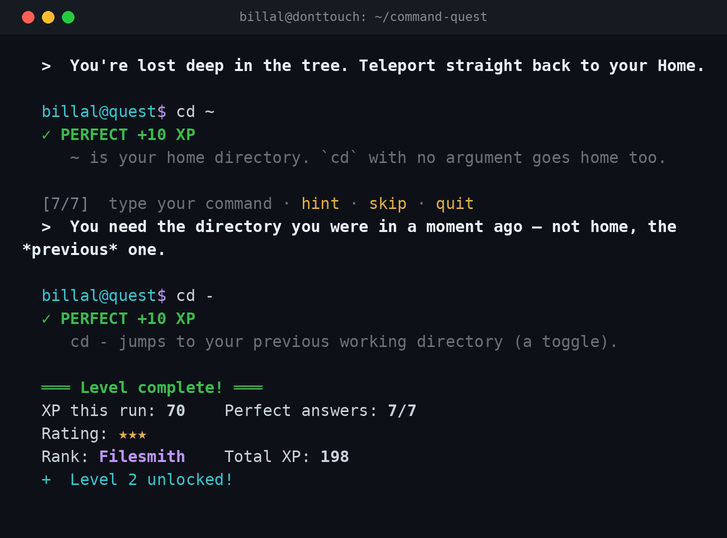
The commands are grouped into ten themed levels — navigation, files, viewing, system info, permissions, processes, networking, packages, search/filter, and getting help — plus a final “real lab” that chains commands into multi-step tasks. You clear a level to unlock the next, earning 1–3 stars and a rank as you climb.
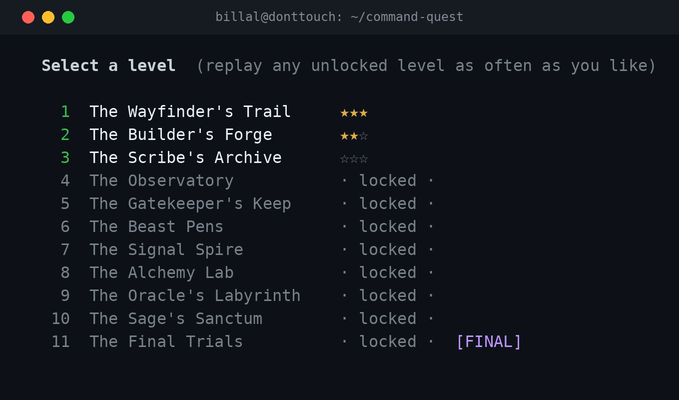
Crucially for me, every level stays replayable, and there’s an Endless Practice mode that reshuffles drills from everything I’ve unlocked. That’s the whole point — I don’t want to “beat” it once, I want to keep running reps until the commands are muscle memory.
Running it
It’s about as low-friction as it gets:
cd ~/command-quest
python3 command_quest.py
No pip install, nothing to set up — Debian already ships Python 3. Progress saves to a small JSON file under ~/.local/share/, so I can stop mid-way and pick up later.
The part that actually taught me something
Here’s where the “AI let me learn a concept I’d have found too hard” bit comes in. I was curious how it grades a command without running it. Claude explained it checks the answer by breaking it into pieces — the command name, the flags, the arguments — and comparing those, which is why flag order doesn’t matter. I didn’t write that logic, but I now understand the idea, and that’s more than I could have said before.
The other thing I asked for was a way to be sure it wasn’t lying to me — that a level’s “correct” answers really were correct. So it included a self-test:
$ python3 command_quest.py --selftest
self-test: 105/105 solutions validate (ALL PASS)
Every one of the 105 built-in answers is fed back through the same checker the game uses, and they all have to pass. It’s a small thing, but it’s the difference between “I think it works” and “the program proves it to itself every time I change it.”
Honest limits
It’s a recall trainer, not a sandbox — it won’t replace actually breaking and fixing things on a real system, and it shouldn’t. What it’s good at is the memorisation gap between reading a cheat sheet and remembering a command when you need it. For me that gap was the whole problem, so it’s exactly the tool I wanted.
And that’s the bit I keep coming back to. A year ago, “build yourself a little terminal game tailored to how you learn” would have been firmly in the someone else does that category for me. Now I can describe what I want, understand roughly how it works, and end up with something I’ll actually use. I’m still not a programmer — but I’m a better Linux user for it, which was the only goal.