Deploying Authentik as a self-hosted identity provider, and wiring Grafana into it with OIDC — so a service that has never heard of MFA suddenly requires it.
Stack: Authentik · Caddy · Grafana · Docker · Debian
1. Purpose
Every self-hosted service arrives with its own login. Ten services means ten accounts, ten passwords, and ten places to forget to enable MFA. Worse, some services have no authentication at all and just quietly assume nobody hostile is on your network.
An identity provider (IdP) inverts that. One system owns identity — who you are, what groups you’re in, whether you passed a second factor. Every other service delegates to it and stops caring. Add MFA once, and every app behind the IdP inherits it.
The goals:
- One identity across every service in the lab.
- MFA enforced centrally, not per-app.
- Group-based authorisation — the IdP decides not just who you are but what you get.
- A foundation for network auth — the same identity source later backing the firewall’s own login via RADIUS.
The result: Grafana now has a “Sign in with authentik” button, prompts for a TOTP code it knows nothing about, and grants admin rights based on group membership it never stored.
2. What an IdP should — and shouldn’t — protect
The instinct is to put everything behind SSO. That’s a mistake, and it’s worth understanding why before building.
There are two integration patterns, and picking the wrong one breaks things:
| Pattern | How it works | For |
|---|---|---|
| OAuth2 / OIDC | The app has built-in SSO support. It redirects to the IdP, gets an identity token back, and enforces auth itself. | Grafana, Portainer, Nextcloud |
| Proxy / forward-auth | The app has no auth. The reverse proxy asks the IdP “is this person allowed?” before passing the request through. | Prometheus, dashboards, anything naked |
And one important exception: my password vault deliberately stays out of SSO.
It’s the obvious candidate — most sensitive service, surely it deserves MFA most? But the vault’s browser extensions and mobile apps talk to its API directly. They can’t follow an HTML redirect to a login page. Putting forward-auth in front would break every client instantly. The vault has its own authentication and its own 2FA support — that’s the correct layer for it.
That’s a genuinely useful lesson: SSO is for things a human logs into with a browser. API clients need their own auth, and forcing them through an interactive flow just breaks them.
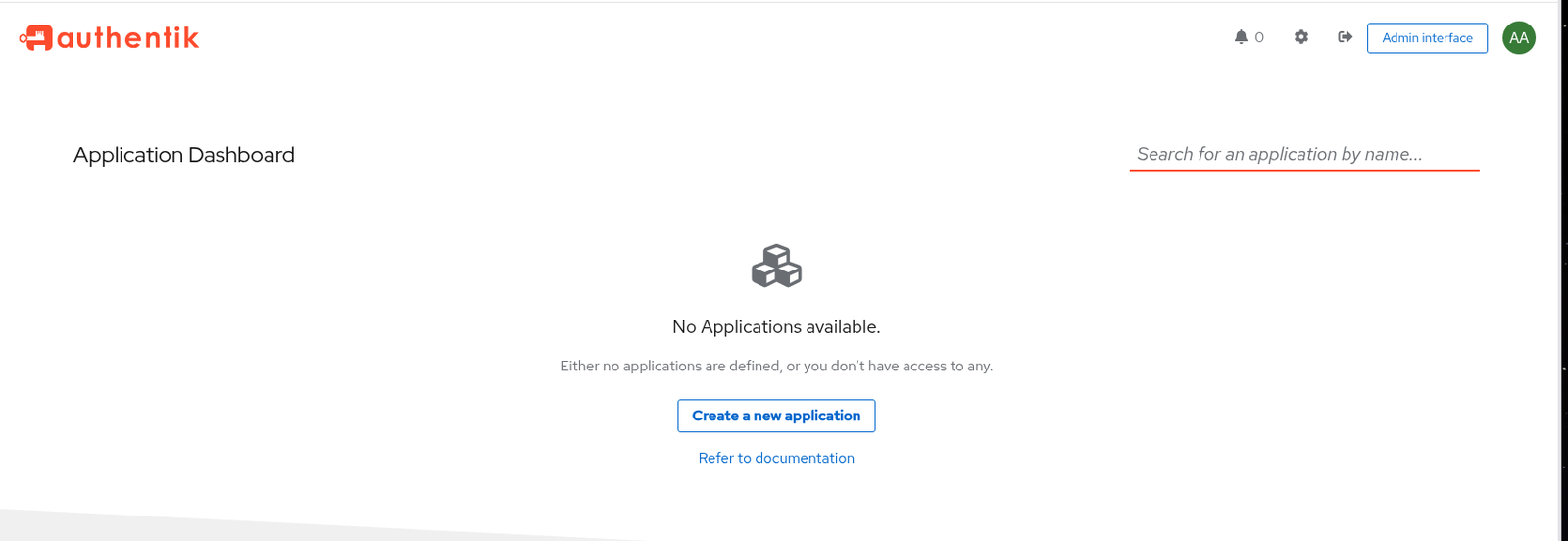
3. Deployment
Authentik runs as four containers: a server (the web app), a worker (background jobs), PostgreSQL (data), and Redis (cache and queues).
The interesting part is how it slots into the existing reverse proxy. Two decisions:
Ports bound to loopback only.
COMPOSE_PORT_HTTP=127.0.0.1:9000
COMPOSE_PORT_HTTPS=127.0.0.1:9443
Nothing on the network can reach Authentik directly — only through the proxy. Same principle already applied to the vault.
Joined to the proxy’s network via an override file rather than editing the official compose:
services:
  server:
    networks:
      default: {}
      caddy_web:
        aliases:
          - authentik

networks:
  caddy_web:
    external: true
Docker Compose merges docker-compose.override.yml automatically. That matters for upgrades: Authentik’s compose file pins a version, so upgrading means re-downloading it — and anything I’d edited in there would be lost. The override survives.
The server container sits on both networks: its own private one (to reach Postgres and Redis) and the proxy’s (so Caddy can reach it by the alias authentik).
Then it’s one route:
	@auth host auth.mylab.duckdns.org
	handle @auth {
		reverse_proxy authentik:9000
	}
No new certificate. No new DNS record. The wildcard certificate from the previous build already covers every subdomain, and the DNS wildcard already resolves them all to the host. Every new service from here on is three lines in a Caddyfile — that’s the compounding payoff of doing the certificate properly once.
4. Enabling MFA
Enrol a TOTP device under the user’s own settings, and Authentik’s default authentication flow starts requiring it automatically — the stock flow includes an MFA validation stage that activates as soon as a device exists. No flow editing needed.
One decision worth making deliberately: don’t store the IdP’s TOTP seed in the password vault. The vault can do TOTP, and it’s tempting. But if the password and the second factor live in the same place, the second factor stops being a second factor. Different systems, different failure modes.
5. Wiring in Grafana
The prerequisite nobody mentions
OIDC needs the application to have a real public URL. The flow is: app → redirect to IdP → redirect back to the app. That return address (the “redirect URI”) is registered on both sides and must match exactly.
Grafana was bound to a single private VPN interface address, which meant the reverse proxy couldn’t even reach it. It needed:
[server]
http_addr = 0.0.0.0
root_url = https://grafana.mylab.duckdns.org/
http_addr— listen on all interfaces so the proxy container can connectroot_url— Grafana builds its redirect URI from this. Wrong value, and the IdP rejects the login with aredirect_urimismatch.
Is binding to all interfaces a downgrade? Briefly — and then no. Once OIDC is on, Grafana enforces authentication itself: someone hitting the raw address still gets bounced to the IdP. That’s the real distinction between OIDC and forward-auth. With forward-auth, bypassing the proxy bypasses the auth. With OIDC, the app is the one doing the checking, so there’s no back door to find.
Provider, then application
Authentik separates the two:
- A Provider is the protocol machinery — client ID, secret, redirect URI, signing key.
- An Application is the user-facing entry that carries access policies and appears on the dashboard.
Create a provider alone and Authentik warns you: “Provider not assigned to any application.” You need both, paired.
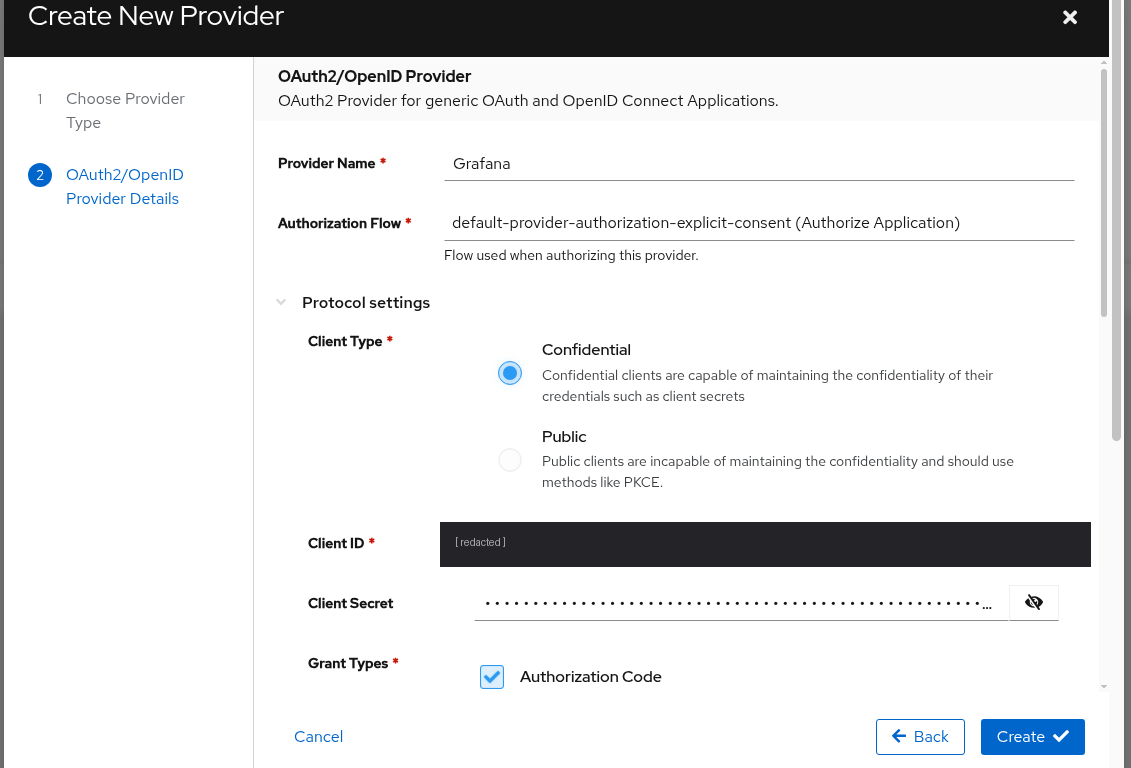
Three settings matter more than the rest:
- Redirect URI must be exactly
https://grafana.<domain>/login/generic_oauth. That path is fixed by Grafana; it isn’t configurable. A trailing-slash mismatch is a failed login. - Confidential client — the client can keep a secret. Grafana is a server, so it can. Public clients are for browser and mobile apps that can’t hide anything.
- Signing Key — without it, the IdP can’t sign the identity token and the app rejects the result.
The provider-type list is itself a good map of what an IdP does:
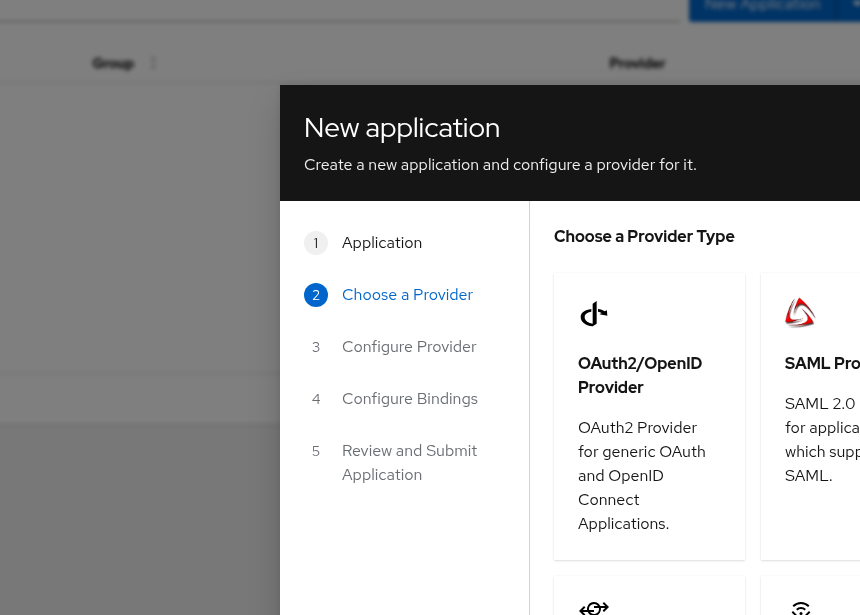
Same identity source, many protocols. OAuth2 for modern apps, Proxy for apps with no auth, RADIUS and LDAP for network devices — which is the hook for bringing the firewall’s own login into this later.
Groups are the authorisation layer
Authentication says who you are. Authorisation says what you get. Groups are how the second one travels.
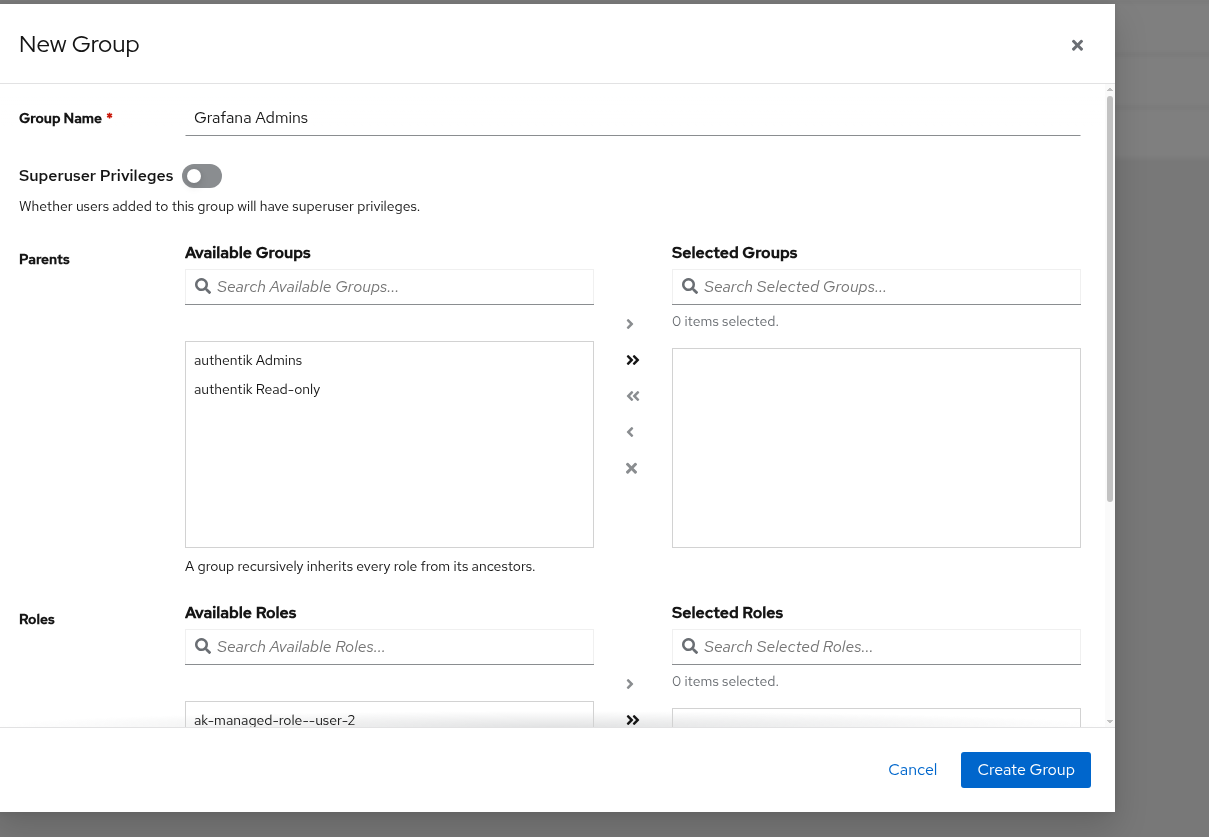
Note Superuser Privileges stays off. That toggle grants admin within Authentik itself and has nothing to do with Grafana. Turning it on would hand IdP admin to anyone added for Grafana access — a neat little accidental privilege escalation.
The mechanism is worth internalising because every future app works this way:
- Authentik puts group memberships into the
groupsclaim of the identity token. - Grafana evaluates that claim and maps it to a Grafana role.
- Neither knows anything about the other. The group name is the only contract between them — which is why it must match exactly on both sides.
Grafana’s side
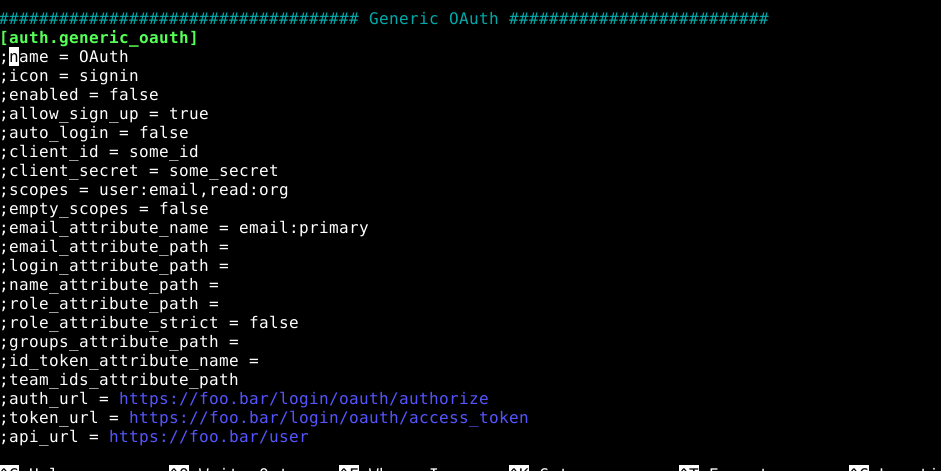
Grafana ships this section entirely commented out, with GitHub-flavoured placeholder values:
The live config:
[auth.generic_oauth]
enabled = true
name = authentik
allow_sign_up = true
client_id = <client id>
client_secret = <client secret>
scopes = openid email profile
auth_url = https://auth.mylab.duckdns.org/application/o/authorize/
token_url = https://auth.mylab.duckdns.org/application/o/token/
api_url = https://auth.mylab.duckdns.org/application/o/userinfo/
role_attribute_path = contains(groups[*], 'Grafana Admins') && 'Admin' || 'Viewer'
scopes— the default is GitHub’s dialect.openid email profileare the standard OIDC scopes, andopenidis what makes this OIDC rather than plain OAuth2: it’s the scope that asks for an identity token rather than just API access.role_attribute_pathis a JMESPath expression evaluated against the claims: ifgroupscontains “Grafana Admins” then Admin, else Viewer. Least privilege by default — a new user lands read-only unless deliberately added to the group.auto_logindeliberately left off. With it on, Grafana skips its own login page and jumps straight to the IdP — convenient, but it also removes the local-admin escape hatch if the IdP is ever down. Keep the back door you control.
6. The result
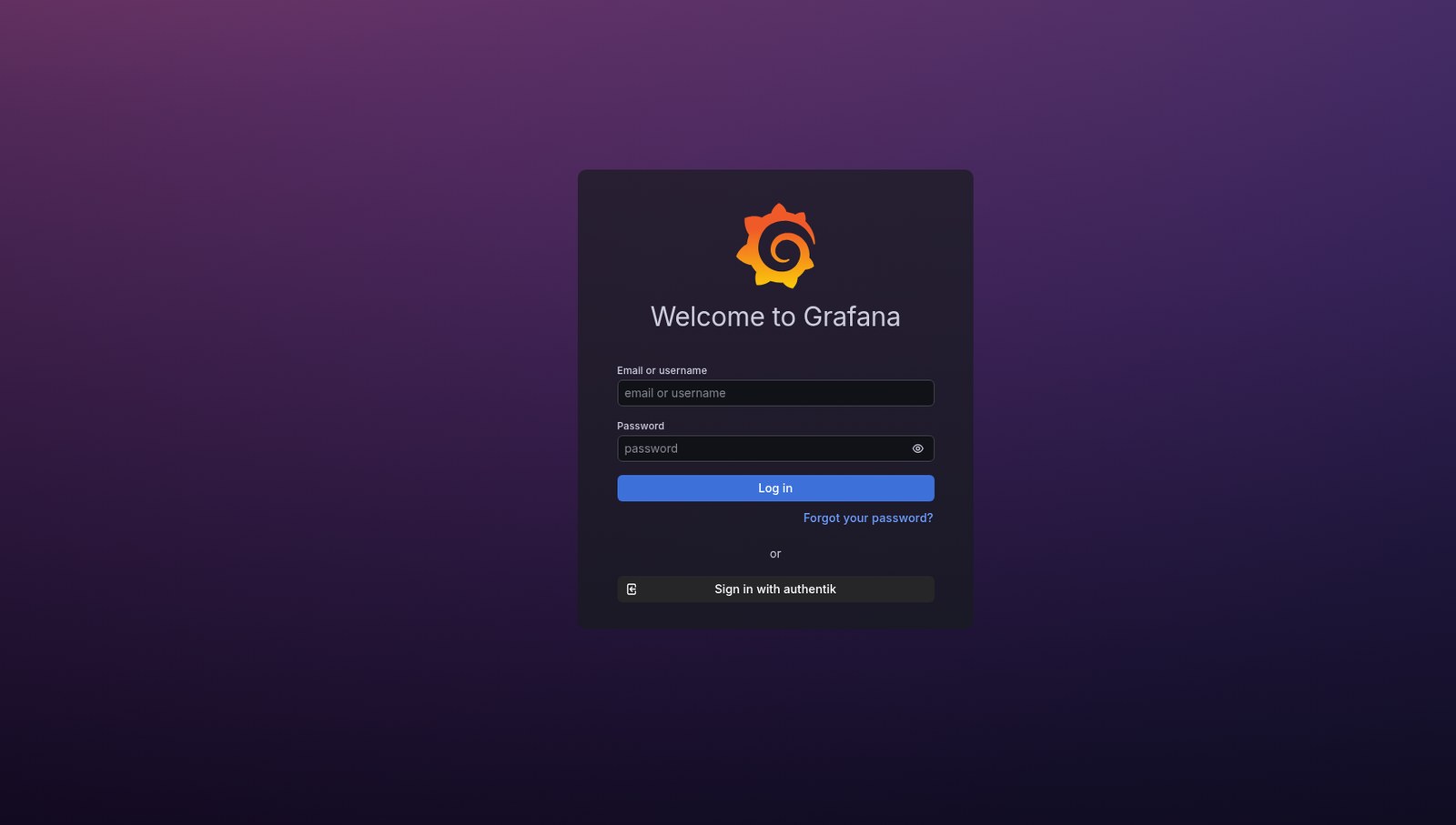
Clicking it walks the full chain: redirect to Authentik → login → MFA prompt → consent → back to Grafana, authenticated, with the Admin role granted from group membership.
The moment worth pausing on is the MFA prompt. Grafana has no MFA support. It was never configured for MFA. It has no idea what MFA is. It simply trusts the IdP’s assertion of who you are — and the IdP enforced the second factor before making that assertion.
That’s the entire value proposition in one screen: MFA was configured once, on the identity provider, and every application behind it inherits it for free. The next app is three lines of proxy config and one provider entry.
Note the local login is still there above the SSO button. That’s deliberate — if the IdP is down, the lab shouldn’t be unreachable.
7. Things that cost time
The ; comment character. Grafana’s ini ships fully commented out. Uncommenting a line but leaving the ; produces a config that looks correct and does nothing. Caught me more than once. The honest check is to read what’s actually live:
grep -vE '^\s*[;#]|^\s*$' /etc/grafana/grafana.ini
That strips every comment and blank line, leaving only real config.
Configuration precedence. An edit to http_addr in the ini file had no effect at all — restart after restart, the old bind address persisted. The cause was a systemd drop-in override:
# /etc/systemd/system/grafana-server.service.d/override.conf
[Service]
Environment=GF_SERVER_HTTP_ADDR=<old address>
Grafana’s precedence is command line > environment variables > ini file. An environment variable set months earlier silently outranked the file. Two lessons: every Grafana ini setting has an env-var twin in the GF_<SECTION>_<KEY> shape, and systemctl cat <service> shows the unit plus all drop-ins — which is where to look when config edits appear to do nothing.
The cleanest fix was deleting the override entirely. Having the same setting in two places is a trap for future-you, who will edit the obvious file and lose twenty minutes.
502 vs 302. A 502 Bad Gateway from the proxy meant it matched the route correctly and the upstream wasn’t listening — proxy healthy, app unreachable. A 302 to /login meant success. Reading the difference saved chasing the wrong layer.
8. Skills demonstrated
- Identity and access management — deploying an IdP, enrolling MFA, group-based authorisation.
- OAuth2 / OIDC — the authorisation code flow, confidential vs public clients, redirect URI binding, scopes, claims, and signing keys.
- Choosing the right integration — OIDC vs forward-auth, and recognising that API clients can’t do interactive SSO.
- Reverse proxy composition — adding services to an existing wildcard-certificate setup with no new certs or DNS.
- Docker Compose overrides — extending vendor-supplied compose files without forking them.
- Config precedence debugging — env vars vs files, and knowing where a setting is actually coming from.
The architectural through-line: authentication belongs in one place. Every service that implements its own login is another place to get it wrong, another password to rotate, another MFA toggle to forget. Centralising identity doesn’t just save time — it means security improvements apply everywhere at once.
Next: an LDAP or RADIUS outpost, bringing the firewall’s own admin login into the same identity source — so even the network gear authenticates against it.