My Obsidian vault has 61 notes in it — study notes, homelab runbooks, session logs — and it syncs
between this box and my laptop. The only way to see what I’d touched recently was to open Obsidian
and read Home.md, a hand-maintained index that goes stale the moment I forget to update it.
So I wanted a small dashboard: recent notes, pinned notes, what’s still unticked. Local only.
I didn’t write this code. I gave Claude Code the prompt and reviewed, tested and corrected what came back. That’s how most things on this blog get built now, and it seems worth being plain about. The prompt was:
Create a local dashboard app that reads markdown notes from a synced Obsidian folder. Display recent notes, pinned notes, and a task summary. Use a lightweight backend (like Flask or Node.js) and a simple frontend. Ensure the app runs locally only and doesn’t sync externally. Provide instructions to start it on any device where the Obsidian vault is synced.
Later I added one more requirement: make it match my gamer/matrix desktop theme.
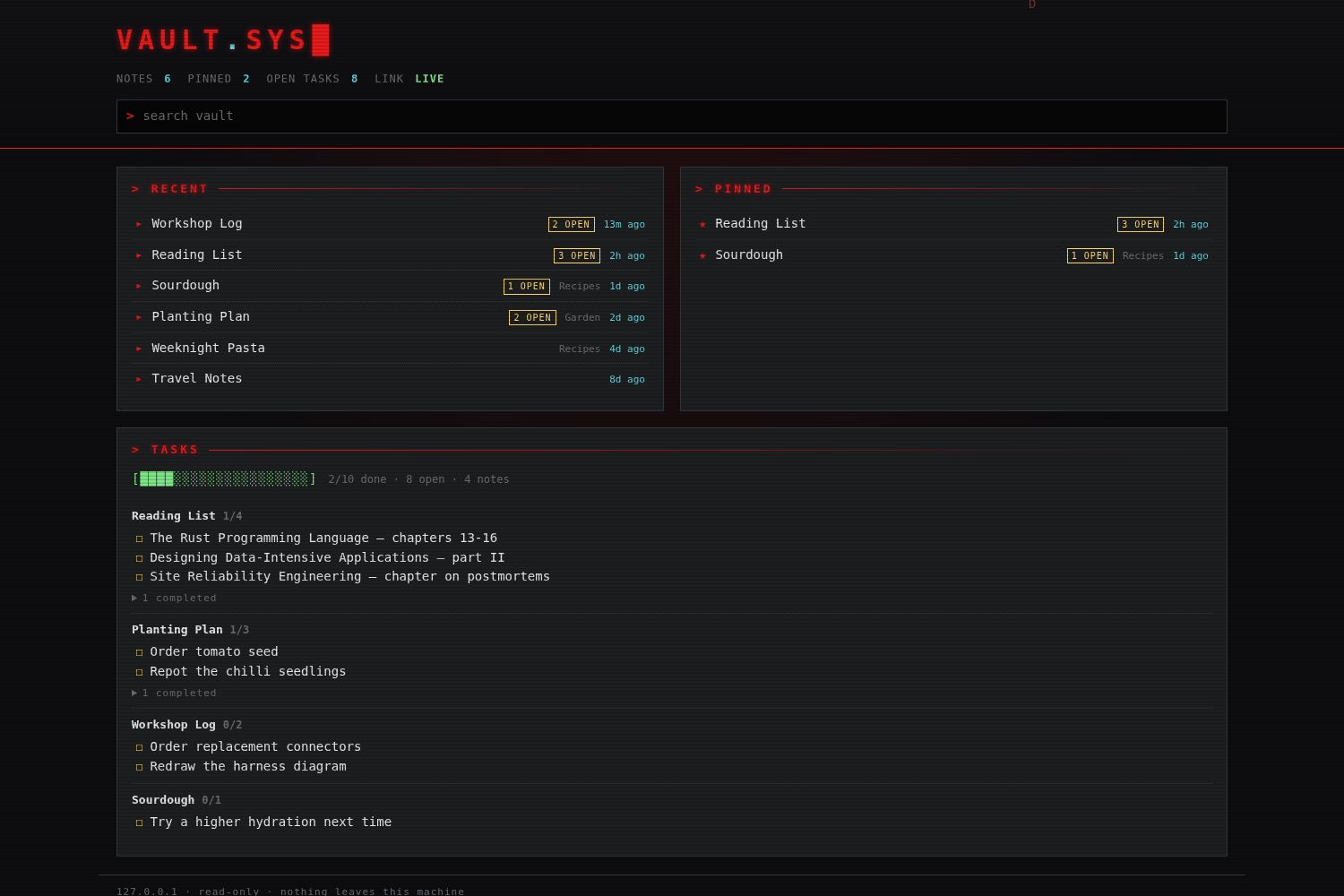
What it ended up being
Node 24, built-ins only. No package.json, no npm install, no venv — about 1,300 lines of
JavaScript and 430 of CSS. That mattered more than it sounds: the thing has to run on the laptop
too, and “clone and run” beats “clone, install a toolchain, then run” every time.
cd ~/OneDrive/vault-dashboard
./start.sh            # http://127.0.0.1:7777
The app lives in my OneDrive folder so the code syncs to the laptop by itself, and the vault path is auto-detected on whichever machine it starts on. Notes never go into that folder — the index is held in memory and never cached to disk, so the only thing syncing to Microsoft is the source code.
Three rules were baked in rather than left to discipline:
- Loopback only. It binds
127.0.0.1explicitly, never0.0.0.0. It isn’t behind Caddy, isn’t on Tailscale, and isn’t reachable from the LAN. - Read-only by construction. There is no
fs.writecall anywhere in the project. Task checkboxes in the reader are rendereddisabled. It cannot corrupt the vault because it has no code path that writes to it. - Escape first, render second. Note text is HTML-escaped before any markup is generated, so a
note containing
<script>renders as text.
Pinning works off the note itself — pinned: true in frontmatter, or a #pinned tag — so a pin set
on the laptop shows up here after a sync. That was deliberate: the dashboard doesn’t write, so the
vault stays the single source of truth.
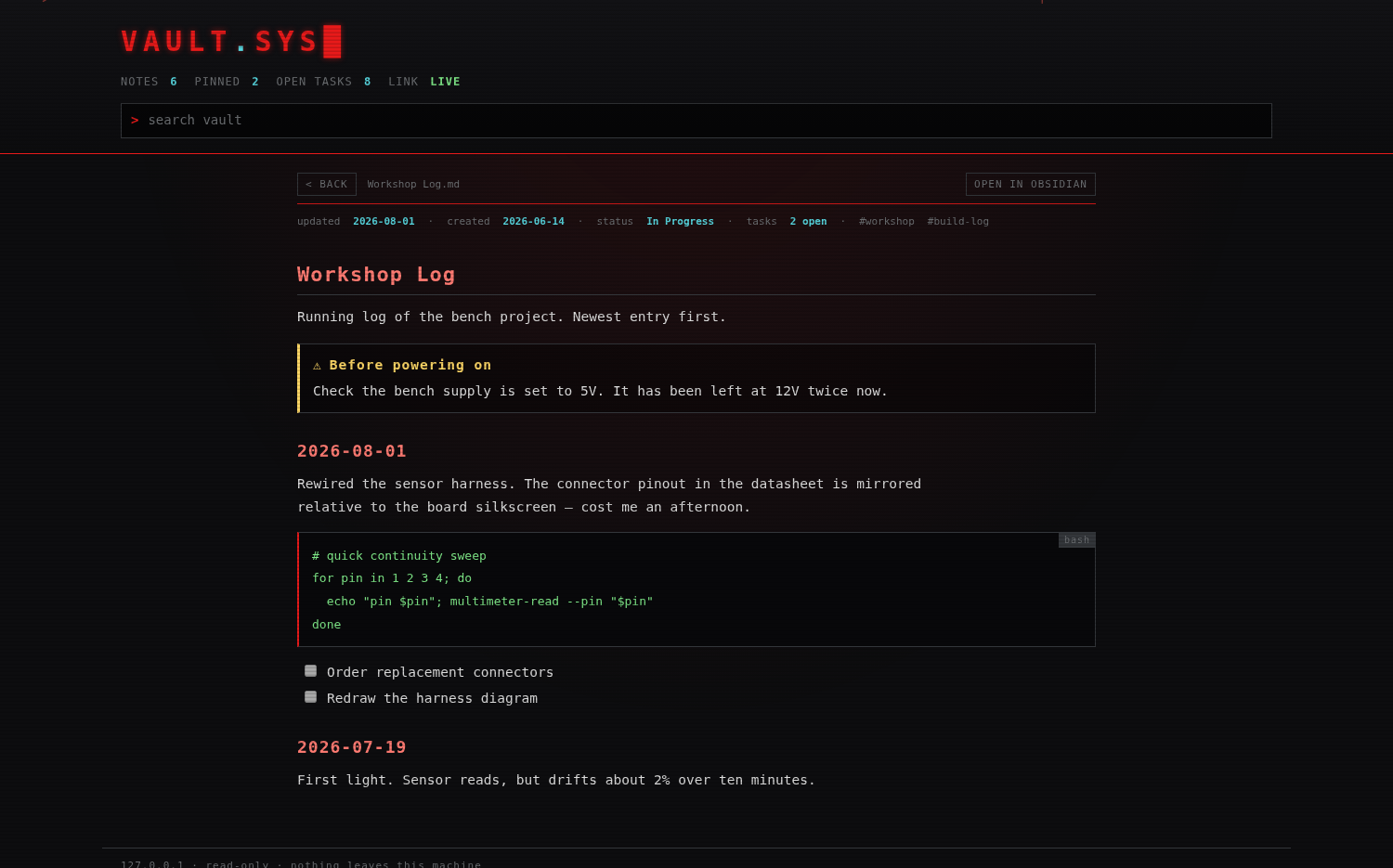
The three bugs that mattered
The API tests all passed early. That turned out to mean very little.
Wikilinks resolved against escaped HTML. The renderer escapes the note first, so by the time
link resolution ran, Al-Tafsir (Qur'anic Exegesis) had become Al-Tafsir (Qur'anic Exegesis).
It never matched a filename. Worse, the code split the link target on # to find a heading anchor —
and ' contains a #, so the target was cut in half. Every note with an apostrophe in its name
was unreachable. Fix: unescape the target before splitting it.
[[#Heading]] links rendered dead. Same-note anchor jumps weren’t handled at all, so the entire
table of contents in my longest runbook was grey text. After the fix that file went from 13 broken
links to zero.
The one that actually looked like a total failure. I clicked a note on the dashboard and nothing happened. The routing was fine, the API returned the note, the HTML was correct — it was CSS:
.grid { display: grid; }
The JS hid the dashboard with element.hidden = true, which relies on the browser’s built-in
[hidden] { display: none }. An author rule with display: grid beats that, so the dashboard never
hid. The note view was rendering perfectly — 900 pixels below the fold, then scrolled back to the
top. One line fixed it:
[hidden] { display: none !important; }
Worth sitting with: curl proved the server was right and told me nothing about whether the app worked. The failure lived entirely in the browser.
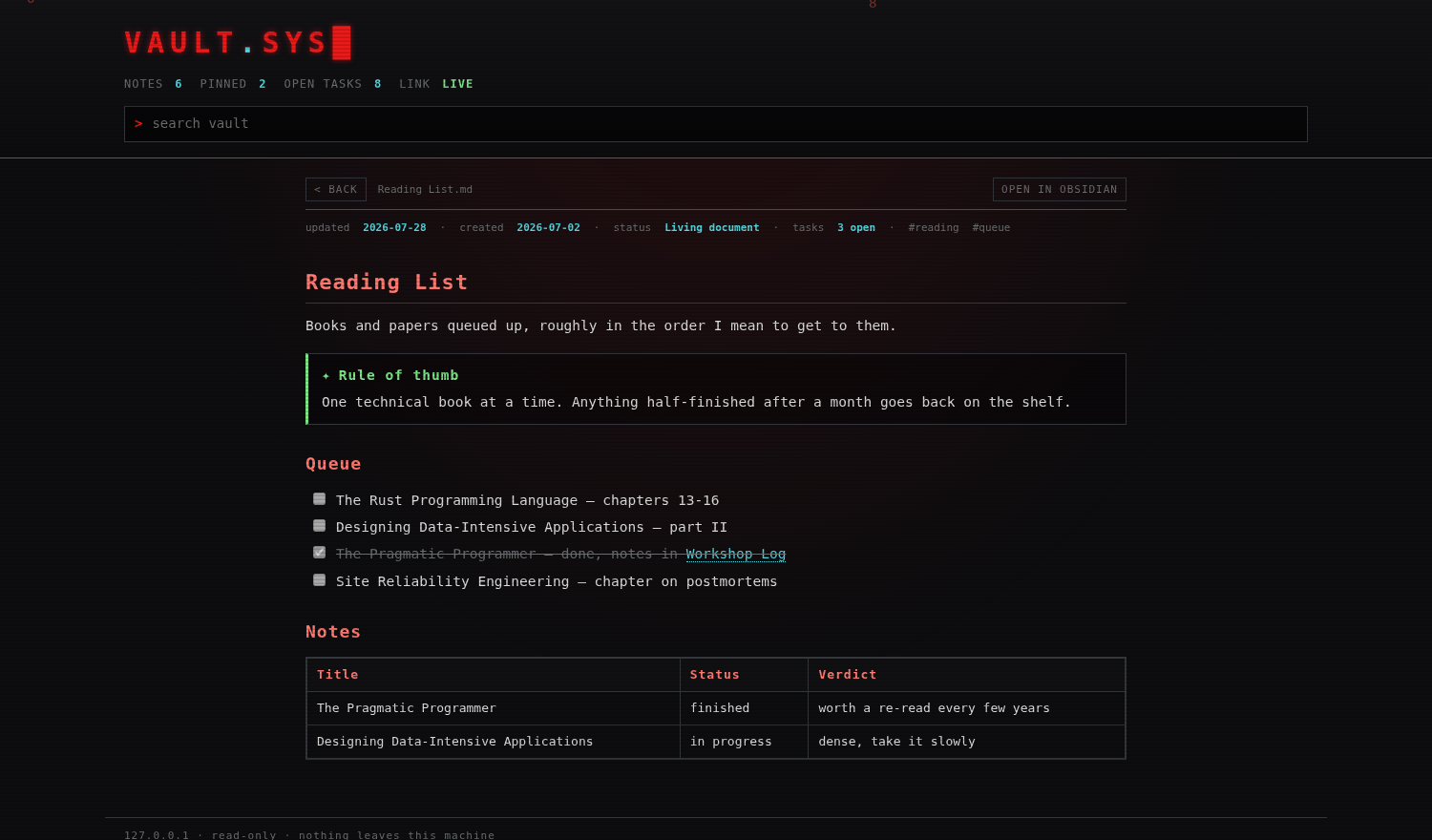
Screenshots are from a demo vault of made-up notes, not my real one — the real dashboard shows private runbook titles in every panel.
Publishing one folder of the vault
The second half of this was putting my Islamic studies notes — the TALEB ILM folder, and only
that — on this site, while the rest of the vault stays strictly private. They’re
here.
I didn’t want “publish the vault, exclude some folders”. I wanted a script that can only ever see
the one folder, so that being careless later doesn’t leak anything. scripts/export-taleb-ilm.py
reads TALEB ILM Notes/ and never walks the vault root, and before it writes a single file it runs
every source note past a leak gate — private IP ranges, internal hostnames, tunnel domains,
credential-shaped strings, visibility: private. Any hit aborts the whole export.
The patterns had to be tuned for the content rather than copy-pasted. These are religious notes: they discuss “secrets” and “keys” constantly, in the ordinary English sense. Matching on the bare words would have made the gate cry wolf every run, which is the fastest way to teach yourself to ignore it. The gate matches credential and infrastructure shapes instead.
$ ./scripts/export-taleb-ilm.py --check
leak gate: clean across 7 note(s)
Hugo quietly ate 357 callouts
The notes lean hard on Obsidian callouts (> [!example], > [!quote]) and colour-code rulings with
inline <span style="color:#ff7b72">. Hugo runs goldmark with unsafe = false, which drops raw HTML
in content. So my first attempt — a shortcode emitting a <div class="callout"> — built with no
error and produced pages with zero callouts. 357 of them, gone silently. The only clue was a
warning I’d initially skimmed past:
WARN Raw HTML omitted while rendering "content/taleb-ilm/al-hadith-prophetic-traditions.md"
The obvious fix is unsafe = true, and I didn’t want it — that changes rendering for every existing
post on this site to solve a problem in one section. The second attempt, a shortcode using
.Inner | markdownify, rendered the callout but stripped the colour spans nested inside it, because
markdownify runs the same goldmark config.
What worked was leaving raw HTML out of the content entirely. Goldmark supports block attributes, so a callout can just be a blockquote wearing a class:
> **Hadith**
>
> Arabic text here
{.callout .callout-example}
That needs one narrow config change — markup.goldmark.parser.attribute.block = true — instead of
opening up raw HTML site-wide, and it’s additive: no existing post uses {.class} syntax, so
nothing else changed. The colour-coded terms became a tiny hl shortcode, since inline shortcode
output is injected after markdown rendering and survives. A quick count on the built HTML
confirmed it:
$ grep -c 'blockquote class="callout' public/taleb-ilm/fiqh-islamic-jurisprudence/index.html
68
What I’d tell myself at the start
The parts I assumed would be hard — parsing frontmatter, watching the filesystem, rendering markdown without a library — were fine. The parts that broke were all seams: escaped text meeting a link resolver, a CSS rule meeting a DOM API, a shortcode meeting a markdown renderer’s security setting.
And two of the three bugs produced no error at all. A silent 357-callout deletion and a dashboard
that looked frozen. Both were only caught by looking at the actual rendered output — grep -c on
the built HTML, and a screenshot. Tests that stop at the API boundary would have passed every time.