Building a self-hosted password vault with a genuinely trusted TLS certificate and zero inbound ports open to the internet — and the four-layer debugging session that stood between me and a working container.
Stack: Debian 13 · Docker · Caddy (custom build) · Vaultwarden · pfSense · WireGuard · DuckDNS
1. Purpose
Self-hosted services are easy to do badly. It’s trivial to run a container, forward a port, click through a certificate warning, and call it done — and end up with something less secure than the cloud service you replaced.
A password manager raises the stakes. It’s the single most sensitive thing you can host: compromise it and you’ve compromised everything else. So it’s a good forcing function for doing the boring parts properly.
The goals:
- A real, trusted TLS certificate — no self-signed warnings, no clicking through browser errors, no installing a custom root CA on every device.
- Zero inbound ports open to the internet. No port forwarding, no exposed attack surface.
- Reachable from anywhere — including my phone, on mobile data.
- The application server unreachable except through a reverse proxy.
- Actually usable day to day, with real browser extensions and mobile apps.
The result is a vault at https://vault.mylab.duckdns.org with a valid wildcard certificate, reachable over my own VPN from anywhere on earth, and completely invisible to the public internet.
2. The design decision most people skip
Before building anything, a question worth asking honestly: should this be self-hosted at all?
My lab runs on VMs that I shut down or suspend at night. That’s fine for most services — if a dashboard is offline overnight, nobody dies. A password manager is different, because the failure mode isn’t “inconvenient,” it’s “locked out of everything, possibly while away from home.”
What actually happens when the server is off is worth knowing precisely:
| Function | Server offline |
|---|---|
| Reading existing passwords | ✅ works — clients hold a local encrypted cache |
| Autofill on a synced device | ✅ works |
| Adding or editing entries | ❌ needs the server |
| Syncing between devices | ❌ stops |
| Logging in on a new device | ❌ impossible |
So it degrades rather than dies — but it degrades in exactly the moments you’d care about.
This is really a question of availability tiering, which is a genuine infrastructure concept and not just homelab trivia:
- Tier 1 — must be up: password manager, DNS resolver, identity provider. Needs always-on hardware.
- Tier 2 — nice to be up: dashboards, monitoring, media, lab services. Intermittent is fine.
My lab is Tier 2 infrastructure. So rather than pretend otherwise, I scoped this as a lab vault — holding infrastructure credentials (firewall logins, dashboards, SSH keys, API tokens) rather than becoming the single point of failure for my bank account. The learning, the architecture, and the writeup are identical; the risk isn’t.
That’s the decision I’d defend in an interview: knowing what not to trust your own infrastructure with is part of designing it.
3. The architecture
Phone / laptop
      │
      │  WireGuard tunnel
      ▼
   pfSense  ──────►  Debian host (10.10.0.220)
                        │
                        ├── Caddy  :443  ← real wildcard cert
                        │      │
                        │      └──► Vaultwarden :80  (no published ports)
                        │
                        └── (Grafana, Authentik, … later)
Three ideas make this work:
The reverse proxy terminates TLS. Vaultwarden itself has no published ports at all — it exists only on an internal Docker network. The only way to reach it is through Caddy. That’s a meaningful reduction in attack surface over the usual “publish port 8080 and hope.”
Certificates come from a DNS challenge, not an open port. The standard way to get a Let’s Encrypt certificate is the HTTP-01 challenge, which requires port 80 reachable from the internet. DNS-01 instead proves domain ownership by writing a DNS TXT record — no inbound connection required. This is the key that unlocks “real certificate, zero exposure.”
Public DNS pointing at a private address. I created a second DuckDNS domain and pointed it at the host’s private LAN IP (10.10.0.220). Anyone on the internet can resolve vault.mylab.duckdns.org and get 10.10.0.220 — which is useless to them. It only routes for someone already inside the LAN or on the VPN. The existing DuckDNS domain still points at the public IP as the WireGuard endpoint; they don’t interfere.
The elegance is that these compose: a genuinely trusted certificate for a name that only resolves to somewhere you can’t get to.
4. Why a custom Caddy build
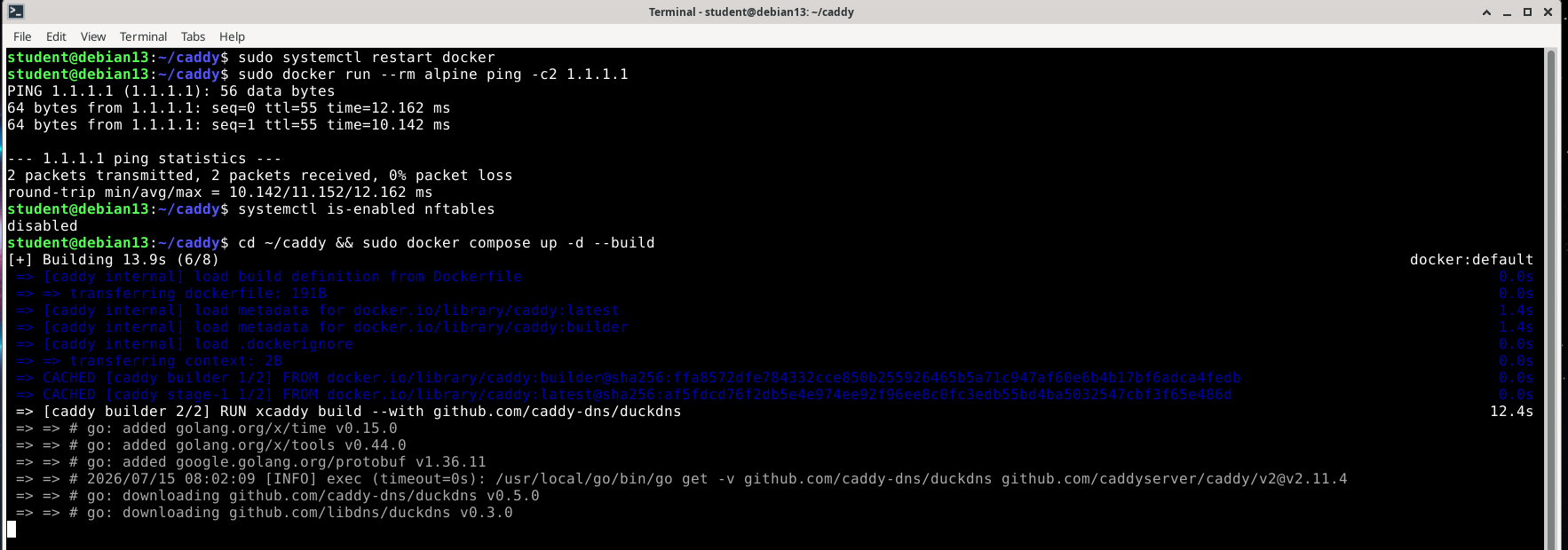
Caddy handles certificates automatically, but the DuckDNS DNS provider module isn’t in the default binary. It has to be compiled in with xcaddy:
FROM caddy:builder AS builder
RUN xcaddy build --with github.com/caddy-dns/duckdns

FROM caddy:latest
COPY --from=builder /usr/bin/caddy /usr/bin/caddy
Stage one compiles a Caddy binary with the DuckDNS module linked in. Stage two takes the official slim image and swaps in that binary — so you keep official base images with exactly one addition.
The wildcard detail
DuckDNS’s API can only set a TXT record at the domain level. ACME requests the challenge record at _acme-challenge.<name>, so:
- A certificate for
vault.mylab.duckdns.orgneeds TXT at_acme-challenge.vault.mylab.duckdns.org— DuckDNS can’t write that. - A wildcard certificate for
*.mylab.duckdns.orgneeds TXT at_acme-challenge.mylab.duckdns.org— exactly what DuckDNS can write.
So the wildcard isn’t a nice-to-have, it’s the approach that works — and conveniently it covers every service I’ll ever add under that domain with one certificate.
*.mylab.duckdns.org, mylab.duckdns.org {
	tls {
		dns duckdns {env.DUCKDNS_TOKEN}
	}

	@vault host vault.mylab.duckdns.org
	handle @vault {
		reverse_proxy vaultwarden:80
	}

	handle {
		respond "no such service" 404
	}
}
The handle blocks route by hostname; the catch-all stops unmatched subdomains reaching anything. reverse_proxy vaultwarden:80 resolves by container name over the shared Docker network — no IPs, no published ports.
5. Troubleshooting
This is the part worth reading. The build itself is twenty minutes; getting a container to reach the internet took considerably longer, and every layer lied about what was wrong.
5.1 — DNS rebind protection ate the answer
Symptom: dig vault.mylab.duckdns.org returned nothing. No error, just silence.
Cause: pfSense’s DNS Resolver (unbound) has DNS rebinding protection on by default. It strips RFC1918 addresses out of public DNS answers — and my whole design is a public domain deliberately resolving to a private IP. Unbound saw exactly the pattern it’s built to defend against and silently dropped it.
Diagnosis: query a public resolver directly, bypassing the local one:
dig +short mylab.duckdns.org @1.1.1.1
That returned the address — proving DuckDNS was fine and the local resolver was the filter.
Fix — a targeted exception in the DNS Resolver’s custom options:
server:
private-domain: "mylab.duckdns.org"
This whitelists one domain from rebind protection rather than switching the defence off. Rebind protection is genuinely useful for everything else; I just need one deliberate exception.
5.2 — unbound rejected the config
Symptom:
The generated config file cannot be parsed by unbound:
/var/unbound/test/unbound.conf:106: error: syntax error
Cause: pfSense drops custom options straight into unbound.conf. Directives must live inside a clause, and private-domain belongs to server:. Without that header it’s an orphan directive.
Fix: include the server: header above it — as shown above. Worth remembering: any custom option in that box needs its clause header.
5.3 — Containers couldn’t resolve anything
Symptom: the Docker build failed fetching Go modules:
go: Get "https://proxy.golang.org/...": dial tcp: lookup proxy.golang.org: i/o timeout
The host’s DNS worked perfectly. Containers had none.
Cause: the host runs Tailscale, whose MagicDNS puts this in /etc/resolv.conf:
nameserver 100.100.100.100
That isn’t a real network address — it’s a virtual one intercepted by tailscaled on the host. Docker copies the host’s nameservers into every container, but inside a container’s network namespace there’s no Tailscale interface, so packets to 100.100.100.100 go nowhere.
Docker handles the usual version of this (a 127.0.0.53 systemd-resolved stub is recognised and substituted). Tailscale’s address doesn’t look like a loopback stub, so it gets passed through and silently fails.
Fix — give Docker explicit resolvers in /etc/docker/daemon.json:
{
  "dns": ["10.10.0.1", "1.1.1.1"]
}
Pointing at the firewall first means containers also inherit the private-domain exception from 5.1.
5.4 — The big one: two firewalls, one hook
Symptom: containers still had zero connectivity. Not just DNS — nothing at all.
The evidence was contradictory:
- Host reached the internet fine.
net.ipv4.ip_forward = 1.iptables -Lshowed Docker’s full, correct ruleset with ACCEPT rules.- The
MASQUERADErule had matched 0 packets — ever. tcpdumpon the physical interface during a container ping showed no container packets at all. Not even un-NAT’d ones.
Packets were dying before they were ever routed out.
A false lead worth mentioning
ip -br a show docker0 showed the bridge as DOWN, which looked damning. It wasn’t: a Linux bridge with no member interfaces sits DOWN by design. With no containers running, nothing is plugged into it. Normal idle state, not a fault. (Chasing it did surface something worth fixing — NetworkManager had adopted Docker’s bridges, which it shouldn’t. That’s corrected with an unmanaged-devices rule, but it wasn’t the bug.)
The actual cause
The tooling was lying. On Debian 13, iptables is a compatibility shim over nftables — so iptables -L only shows you its own tables. Asking nftables directly told a different story:
sudo nft list ruleset | grep -A5 'chain forward'
	chain forward {
		type filter hook forward priority filter; policy drop;
	}
A native nftables chain, in a separate table, with policy drop and no rules in it.
Netfilter evaluates every table registered at a hook, and a DROP in any of them wins. So there were two rulesets on the forward hook:
| Table | Managed by | Says |
|---|---|---|
ip filter | Docker (via iptables-nft) | ACCEPT container traffic |
inet filter | Debian’s nftables.service | drop everything |
Docker’s rules were real and correct. They were simply overruled by a table Docker can’t see and iptables -L doesn’t show. That’s why the rules read perfectly while the MASQUERADE counter sat at zero: packets never survived long enough to reach it.
This is Debian’s default /etc/nftables.conf — which ships with forward set to policy drop — colliding with Docker.
Fix:
sudo nft delete table inet filter
sudo systemctl disable nftables
sudo systemctl restart docker
5.5 — The trap inside the fix
Deleting the table worked instantly. Then systemctl disable --now nftables broke it again, worse.
The --now is the problem. Debian’s nftables.service has:
ExecStop=/usr/sbin/nft flush ruleset
Stopping the service doesn’t remove its table — it flushes the entire ruleset, including Docker’s. So the state went from “blocked by a drop rule” to “no rules at all, including the MASQUERADE containers need.” Re-enabling the service then recreated the drop table without restoring Docker’s rules — doubly broken.
The missing step was that Docker rebuilds its full ruleset on every start:
sudo systemctl disable nftables    # no --now
sudo systemctl restart docker      # rebuilds Docker's rules
Worth noting /etc/nftables.conf also begins with flush ruleset, so the service nukes Docker’s rules on start and stop. The two are fundamentally incompatible on one host unless you hand-edit that file.
Disabling it was the right call in context: this host sits behind a dedicated firewall VM with rules I wrote and tested. A second, empty, default-drop firewall on the host bought nothing and cost hours.
6. Verification
The first real test:
$ curl -I https://vault.mylab.duckdns.org
HTTP/2 200
via: 1.1 Caddy
server: Rocket
...
Every part of that is meaningful:
HTTP/2 200over TLS — the service answers.- No certificate complaint from
curl— the certificate is genuinely trusted, not self-signed.curlrefuses untrusted certs by default, so silence here is the proof. via: 1.1 Caddy— the reverse proxy handled it.server: Rocket— Vaultwarden answering behind the proxy, reachable no other way.
The test that actually mattered
Since this host is powered down nightly, “works right now” isn’t good enough. After a full reboot:
$ sudo nft list ruleset | grep 'table inet filter'
                      # nothing — the drop table stays gone

$ curl -I https://vault.mylab.duckdns.org
HTTP/2 200
Docker rebuilt its rules, Caddy loaded the existing certificate from its persisted volume (no re-issuance, no rate-limit risk), and Vaultwarden came up behind it — all unattended. That’s the difference between a demo and infrastructure.
7. What this actually achieves
| Property | How |
|---|---|
| Trusted TLS certificate | Let’s Encrypt wildcard via DNS-01 |
| No inbound ports open | DNS challenge needs no incoming connection |
| Not reachable from the internet | Public DNS resolves to a private address |
| Remote access | Existing WireGuard tunnel |
| App server not directly reachable | No published ports; only the proxy can reach it |
| Registration closed | SIGNUPS_ALLOWED=false after creating the account |
| Survives reboots | Verified cold-boot test |
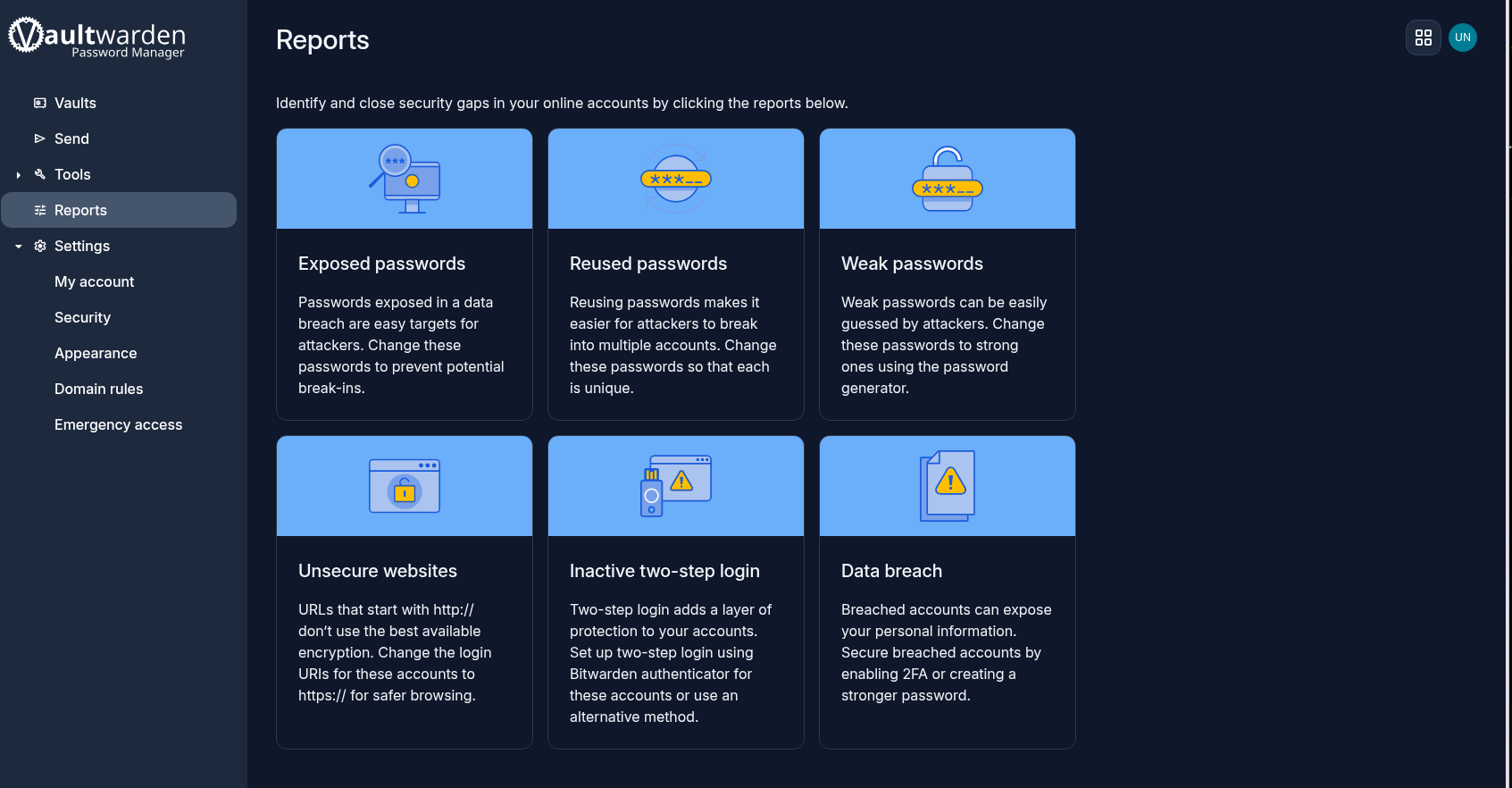
And it’s genuinely usable — the official Bitwarden browser extensions and mobile apps speak to it, since Vaultwarden implements the same API.
8. Skills and lessons
- ACME DNS-01 challenges — certificates without exposure, and why the wildcard was the only viable shape against a domain-level-only TXT API.
- Reverse proxy architecture — TLS termination, hostname routing, and keeping application servers off the network entirely.
- Split DNS thinking — public names resolving to private addresses, and the rebind protection that (correctly) fights you.
- Docker networking internals — bridges, veth pairs, MASQUERADE, and how container DNS is inherited.
- netfilter on modern Debian — that
iptablesis a shim, that multiple tables share each hook, and that a DROP anywhere wins. - Systematic debugging — working down the layers (DNS → forwarding → NAT → interface state → competing rulesets) instead of guessing.
The through-line: every tool told me things were fine. iptables -L showed a healthy ruleset. Forwarding was enabled. The bridge had the right subnet. Only tcpdump (no packets on the wire) and nft list ruleset (a second firewall nobody mentioned) told the truth. When your instruments disagree with reality, stop trusting the instruments and go find the one that reads the actual state.
The counter that broke it open was a zero — a MASQUERADE rule that had never fired. Rules that look right but never match mean the traffic isn’t getting there, and that’s a much more useful question than “why is my rule wrong.”
Next: putting an identity provider in front of this with SSO and MFA, and bringing the firewall’s own login into the same identity source.