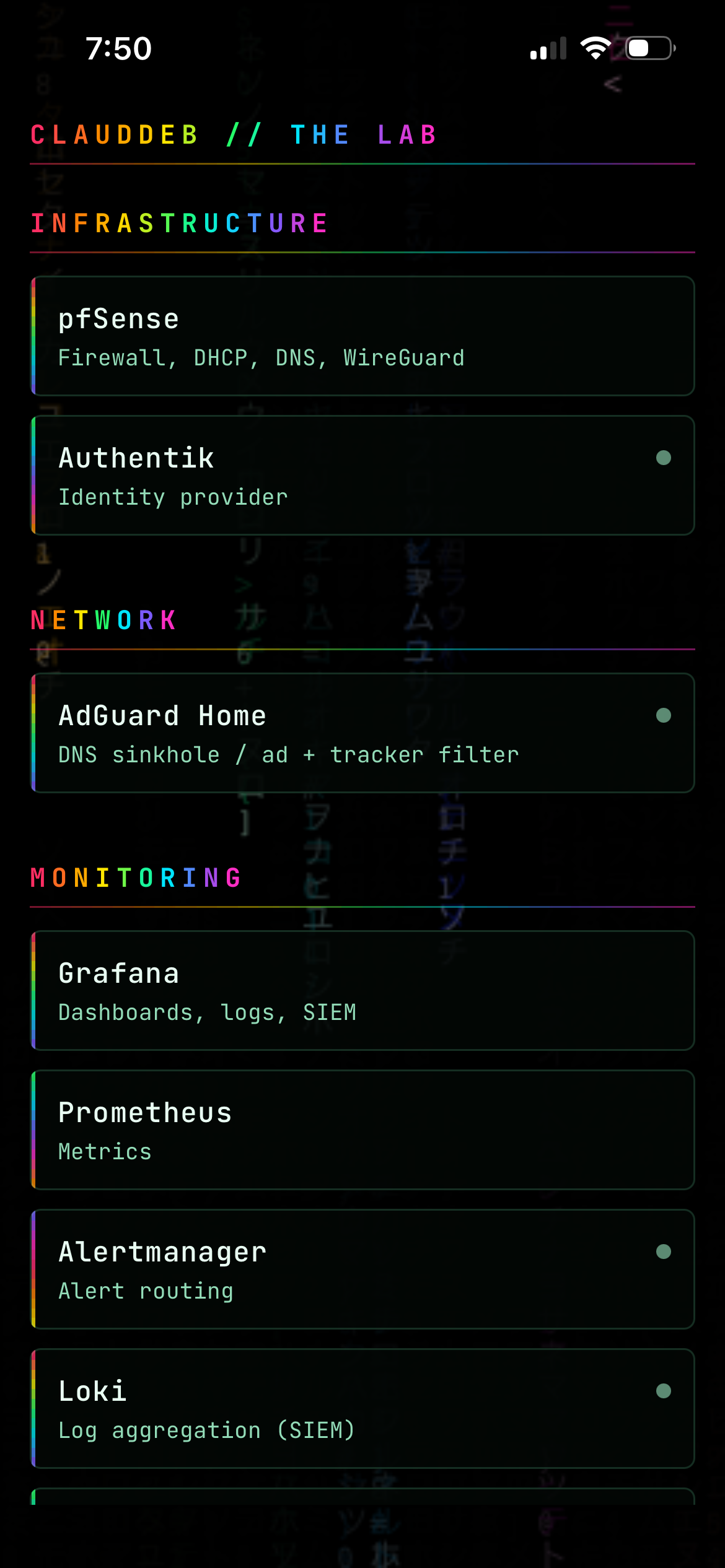
The LABDECK app on an iPhone, showing home lab service groups over an animated matrix rain background

LABDECK — Putting My Home Lab Dashboard on My Phone

A while back I built a front door for the home lab — one Homepage dashboard listing every service, with live status dots. It’s the page I look at most. On a phone it’s a browser tab. It works, but it’s a shrunk web page: no icon, no native controls, and every visit is a fresh Authentik redirect. I wanted the same thing as an actual app. This is how that went, including the parts that didn’t work. ...
9 August 2026 · 8 min
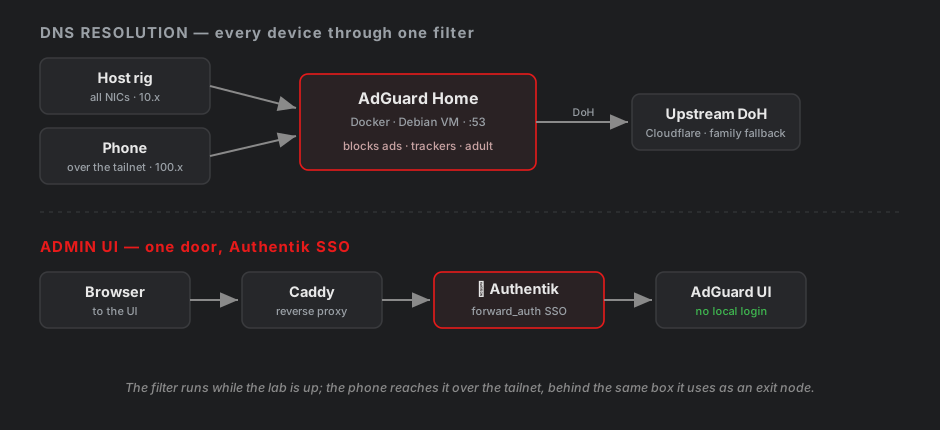
Two rows: DNS resolution from host rig and phone through AdGuard to an upstream DoH resolver, and the admin UI reached only through Caddy and Authentik SSO

One DNS Filter, Three Clients That All Bypass It Differently

I wanted a DNS sinkhole in the lab — block ads, trackers, and adult content at the resolver instead of per-device. AdGuard Home is a single Go binary, so standing it up was maybe ten minutes. Then I spent the rest of the session learning that “point a device at the resolver” is a lie three times over. A Windows PC, an iPhone, and the lab host each route DNS somewhere I didn’t tell them to, for three completely different reasons. This is the write-up of finding all three. ...

1 August 2026 · 7 min
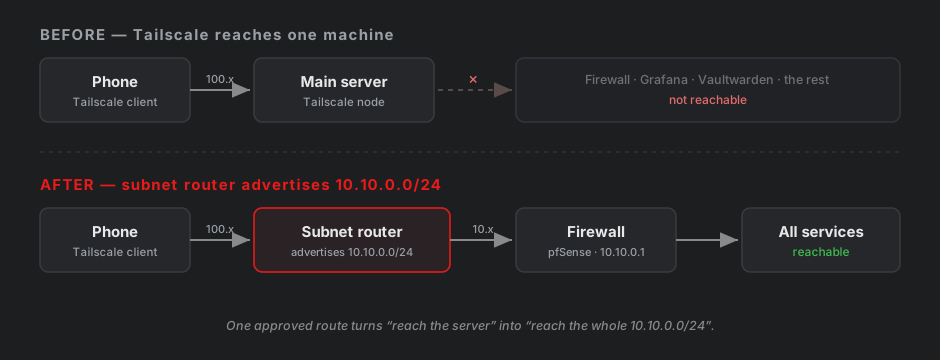
Before/after diagram: Tailscale reaching one machine, versus a subnet router advertising 10.10.0.0/24 so the phone reaches the whole lab

Two VPNs, One Phone: Consolidating Remote Access

I ended up with two VPNs into my homelab. WireGuard, running on my firewall, which I set up first. And Tailscale on my main server, which I added later so I could SSH in from a laptop without opening ports. Then I tried to use both from my phone and hit a wall. Phones only run one VPN at a time This isn’t a bug or a conflict between the two apps. iOS and Android both allow exactly one active VPN tunnel, full stop. It’s an OS-level restriction. ...

24 July 2026 · 10 min
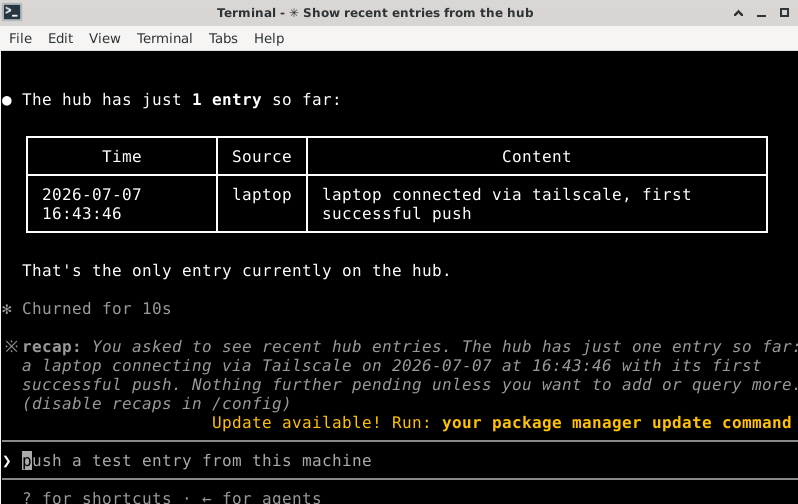
A note pushed from the laptop appearing on the hub via get_recent

Syncing Claude Code Across Devices with a Custom MCP Hub over Tailscale

I run Claude Code on two machines: the Debian VM in my home lab (always on) and a Debian laptop (sleeps, roams, follows me to campus). I wanted the laptop to push notes, facts, and findings into a central store on the VM — from any network — so the home-lab agent could pick them up later. Claude Code’s built-in Remote Control turns a second device into a remote window onto one session. That’s not what I wanted. I wanted both machines to stay fully independent agents, linked through a shared tool. So I built a small MCP server on the VM and pointed the laptop’s Claude Code at it: the hub becomes just another tool the laptop can call. ...

7 July 2026 · 6 min